The add to cart button will appear once you select the values above
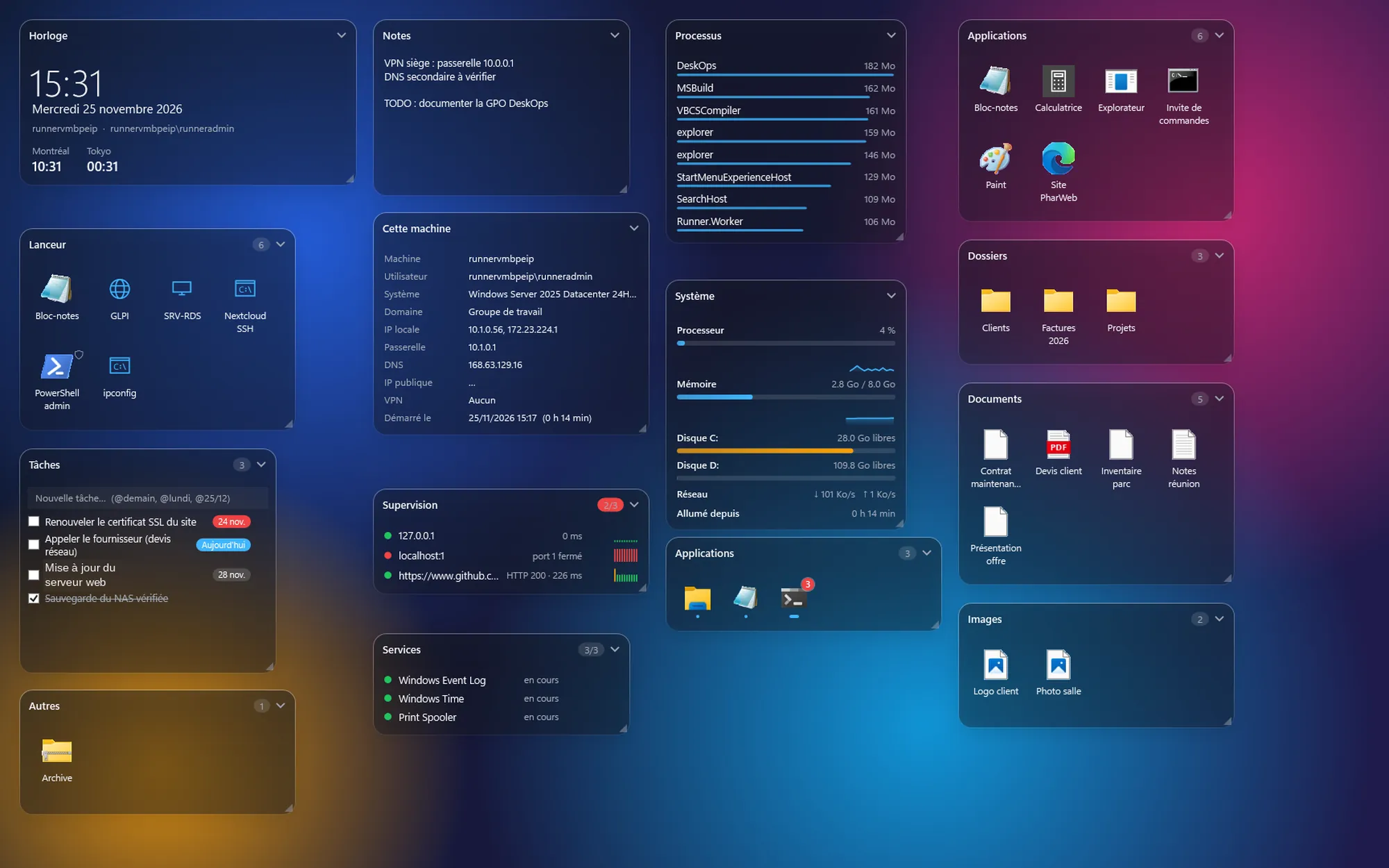
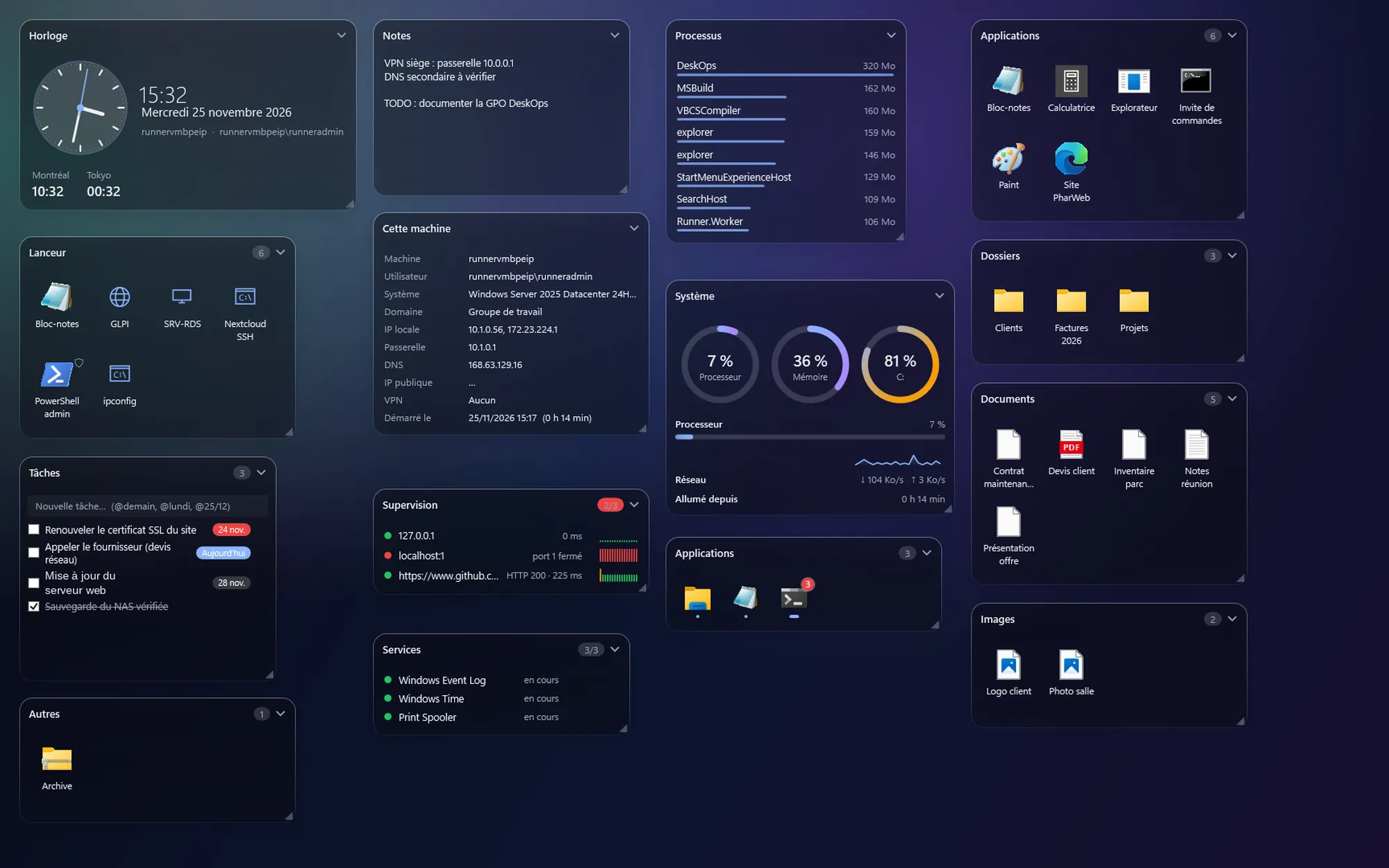
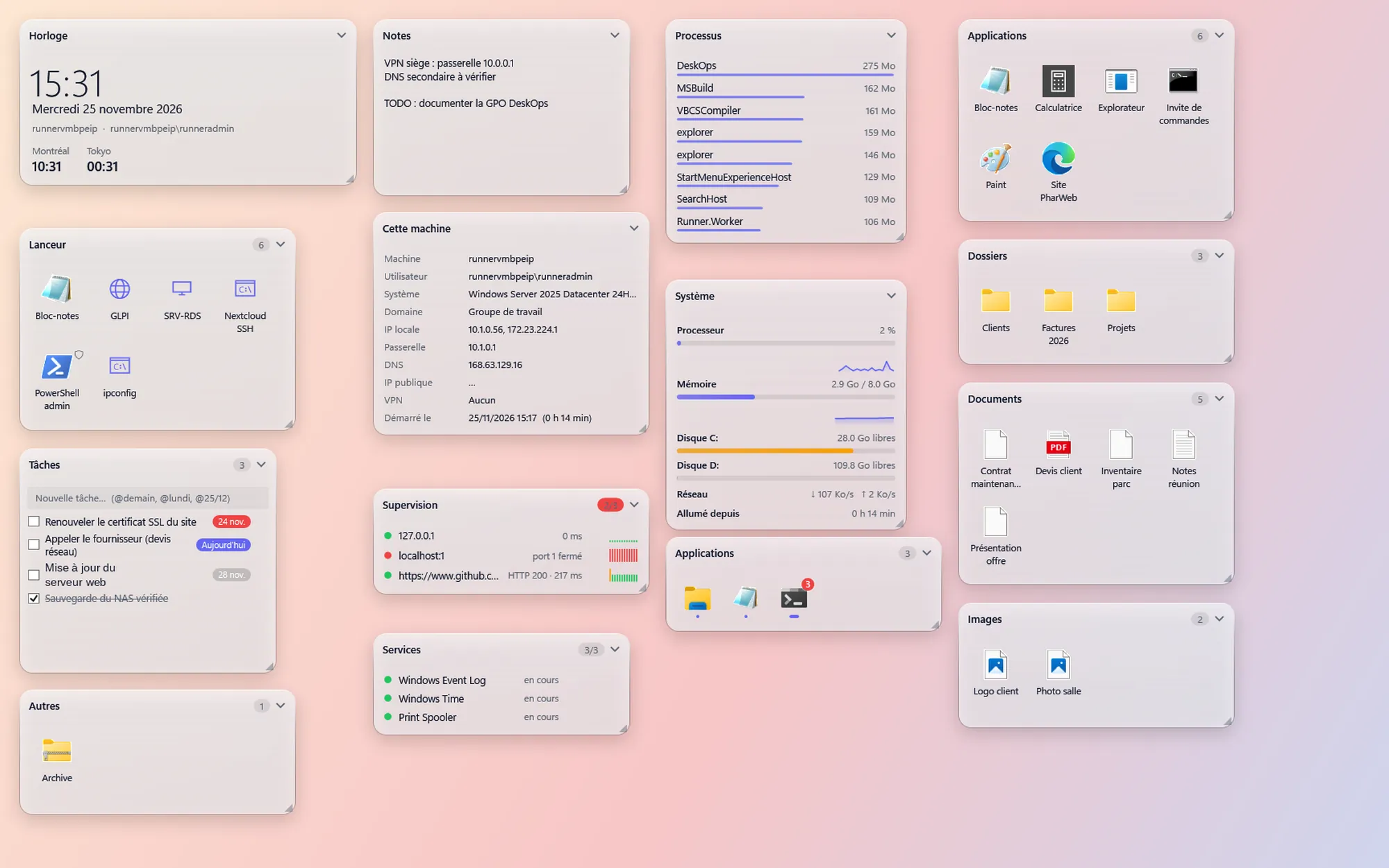
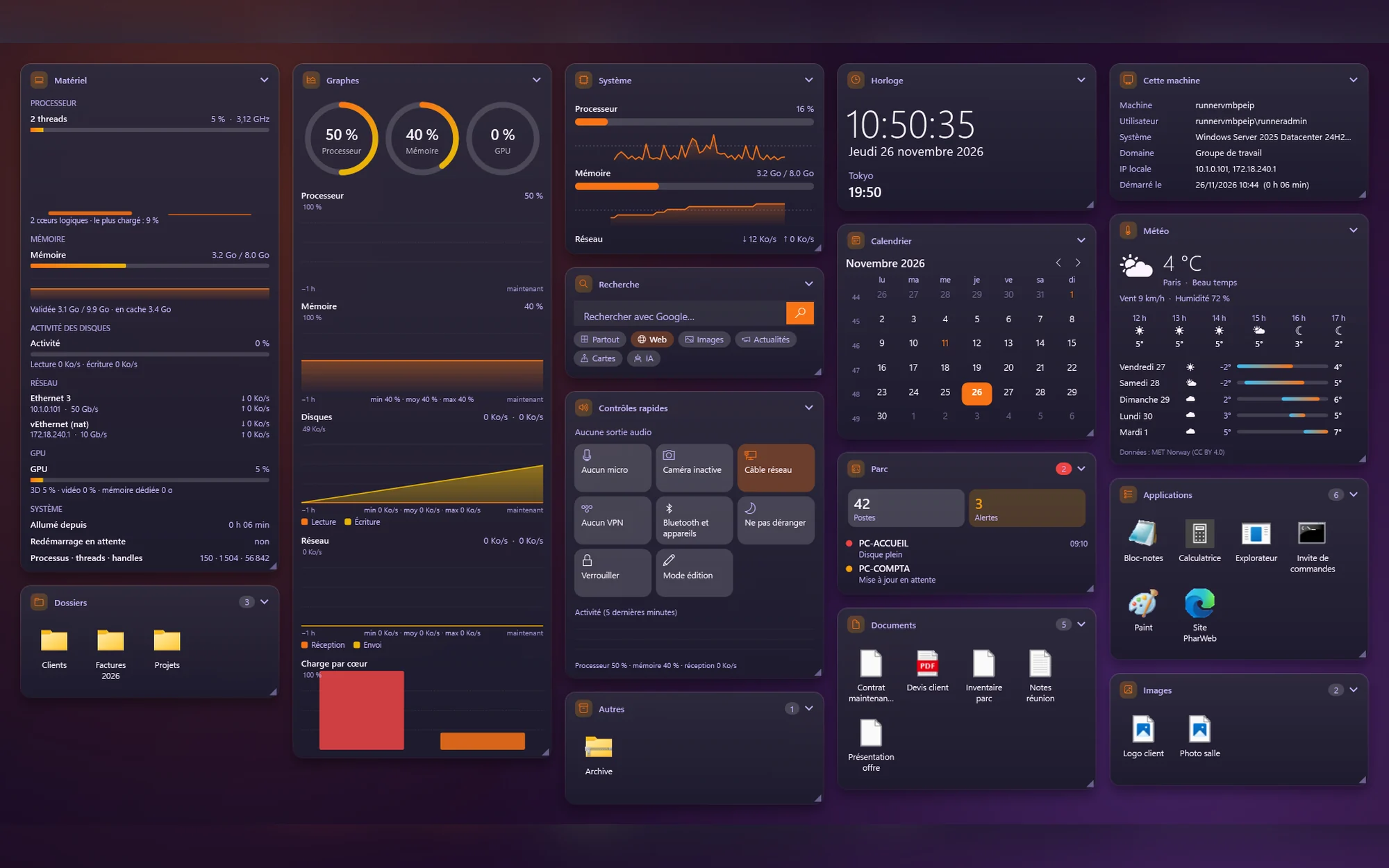
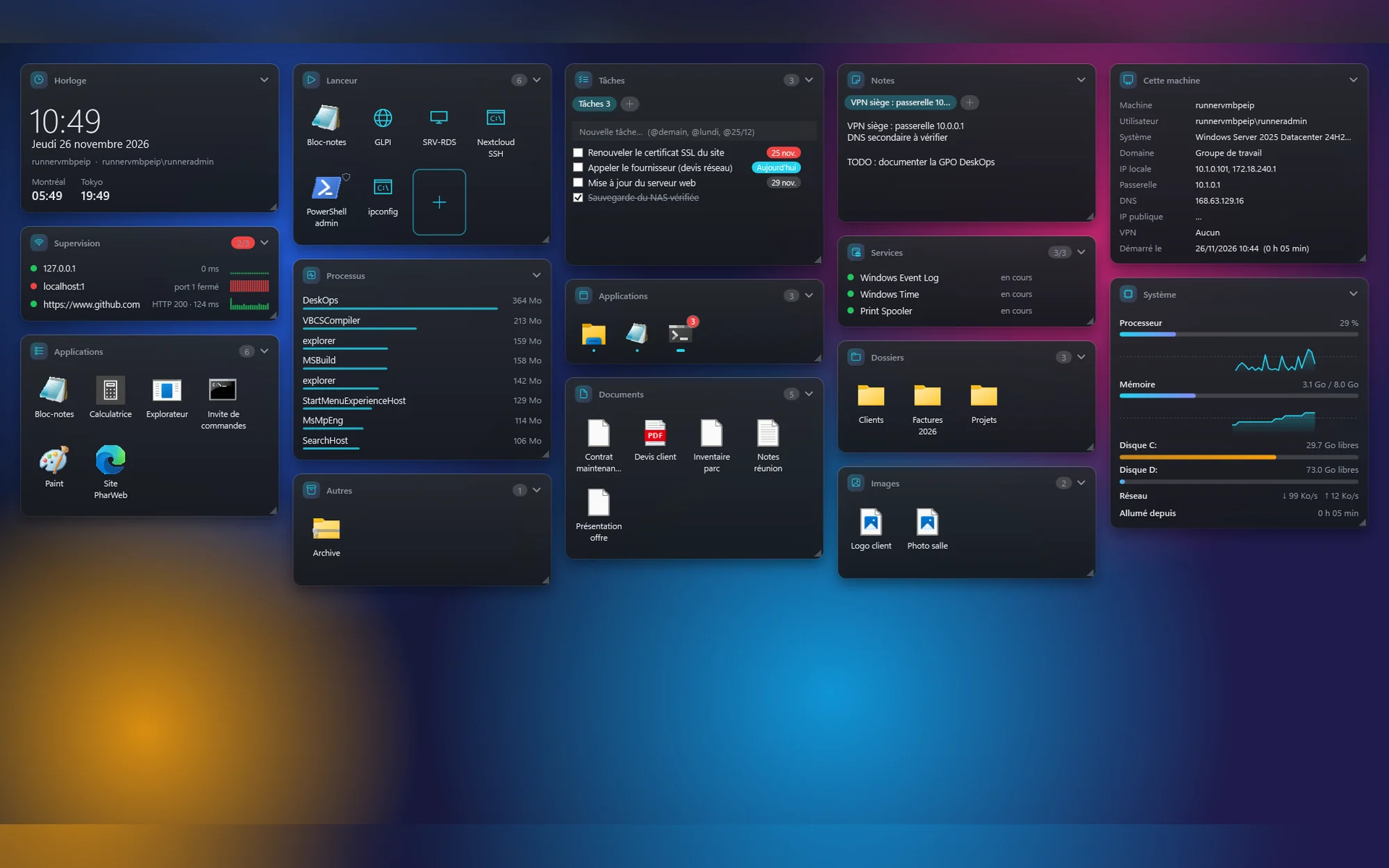
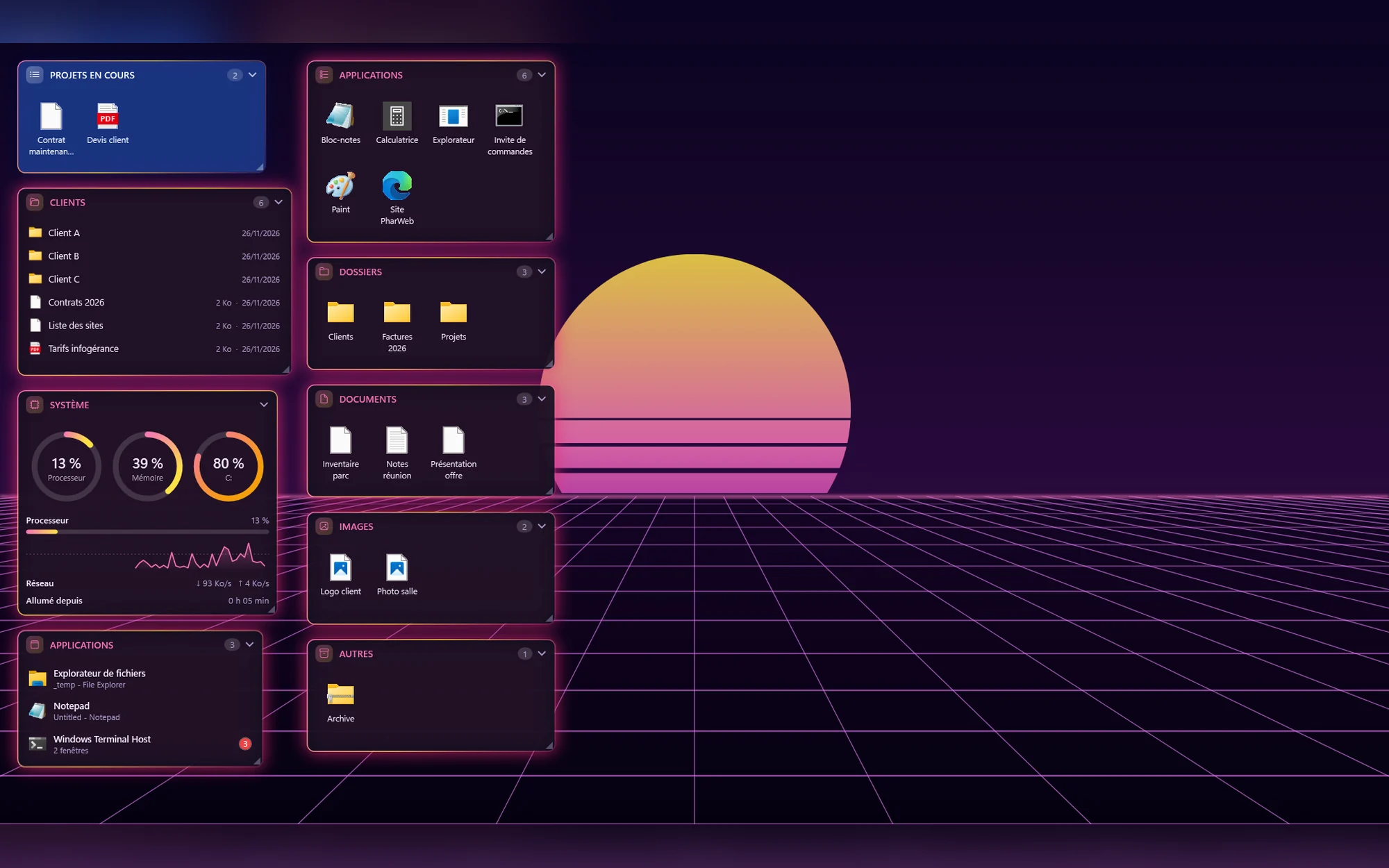
DeskOps Pro replaces the Windows desktop with a tidy, managed desktop: native icons are hidden and DeskOps shows icon zones, open folders, widgets, system metrics and the monitoring of your servers and clients in their place, with themes and animations. For Windows 10 and 11 PCs as well as Windows and RDS servers.
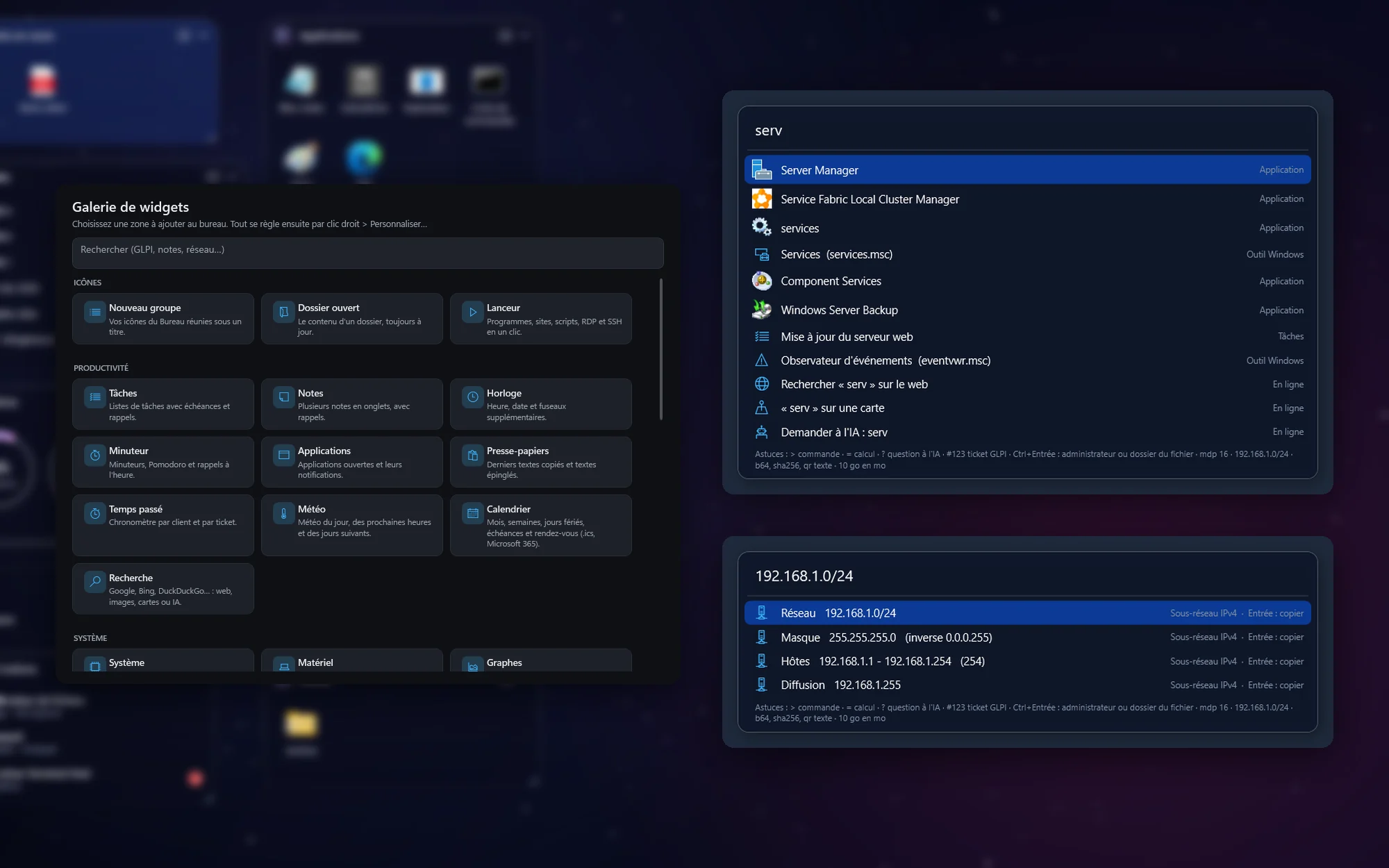
Zones: icon zones, automatic filing, drag and drop, height adjustable with the handle, edges snapping to other zones; “open folder” zones; multiple screens; widget gallery and desktop templates (technician PC, front desk PC, Remote Desktop server).
Widgets: digital or analogue clock, tasks and notes (several lists, reminders), clipboard, system metrics as animated rings and gauges, open apps (dock or list, notification badges), weather, calendar and events (.ics links, Join button for Teams, Zoom, Meet and Webex), web and AI search, timer and Pomodoro, quick controls (sound, microphone, Wi-Fi, VPN, Bluetooth, do not disturb), downloads, map (OpenStreetMap and OpenTopoMap with no key, Google Maps with your Google Maps Platform key: search for places and addresses, driving, cycling or walking route with distance and time, saved places).
Smart items: each resource becomes a tile that opens on click, shows its live status (dot, ring or bar) and offers its actions on right-click, in three sizes: disk (space, threshold, cleanup, eject), network share, printer (paper, toner, jobs), battery, network adapter / Wi-Fi, VPN, app (open, CPU, memory, notifications), Windows service, scheduled task, folder, file, Recycle Bin, remote server or PC (ping, RDP, SSH), website (HTTP code, response time, certificate); in Pro, script or command and monitoring counter.
Command bar: universal search (apps, files, Windows Settings and tools, web), launcher for apps, scripts, RDP and SSH connections, toolbox (passwords, IPv4 subnet, Base64, SHA hashes, unit conversions, QR code), edit mode.
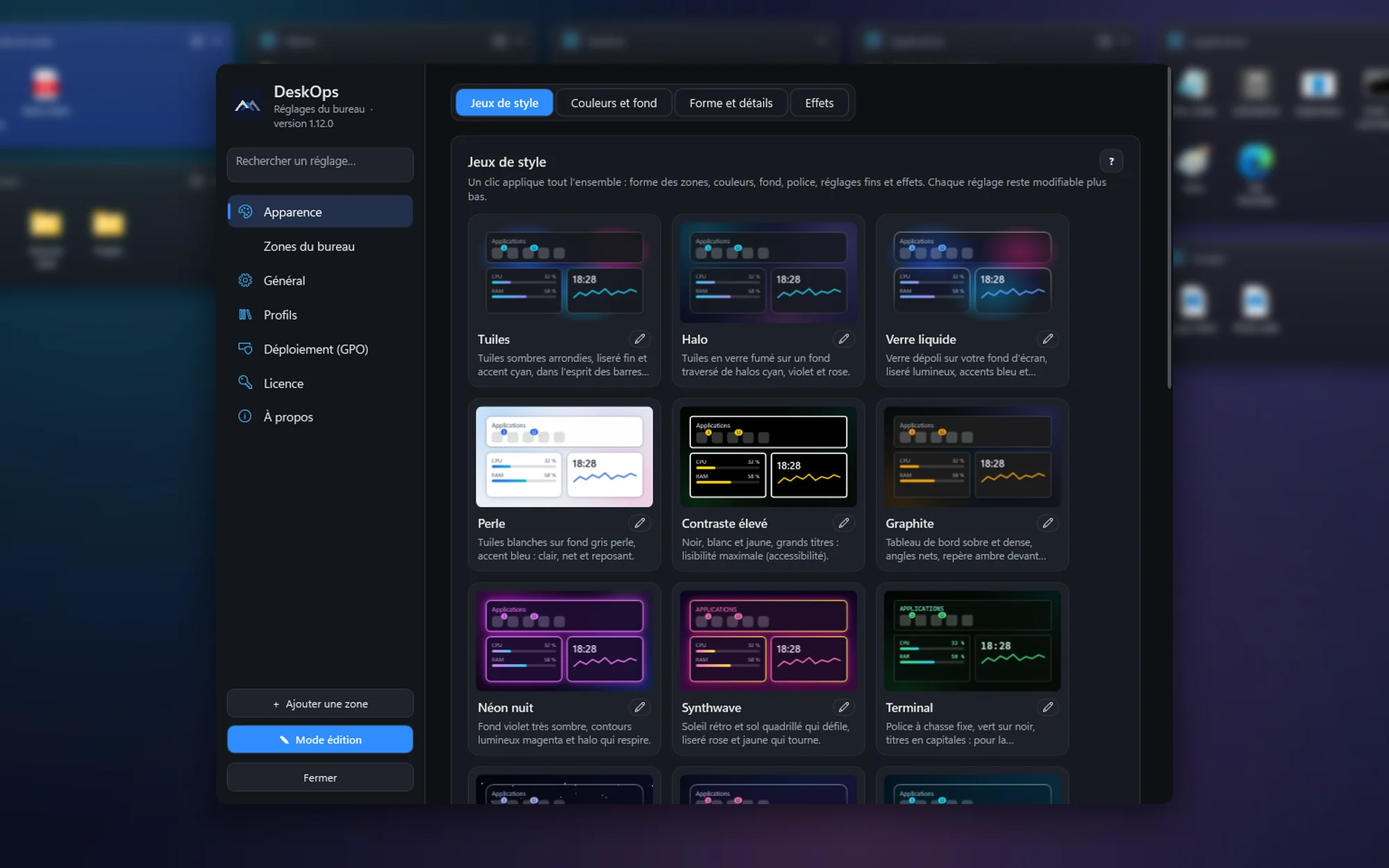
Look: ready-made style sets (Tiles, Liquid glass, Pearl, High contrast…), Tiles, Glass, Cards, Blend and Dashboard styles; Light, Dark and Automatic themes, theme by time of day; bento grid; 4 languages, built-in help.
Deployment: GPO templates (ADMX / ADML, 4 languages) for a starting configuration of new users.
Pro, monitoring: computer info, detailed hardware and graphs (CPU, memory, disks, GPU, temperatures; graduated scale, average, min · avg · max, hover readout, adjustable time span, 24 h history), ping and HTTP, services, processes, Zabbix, GLPI (tickets, approvals, inventory, expiries, ticket creation), SSL certificates and domains, CERT-FR / RSS, Windows health, RDS sessions, Active Directory, Wazuh, Proxmox, Hyper-V, Synology / QNAP NAS, with central alerts.
Pro, multi-client: multi-client view of GLPI and Zabbix, Veeam and Proxmox Backup Server backups, website availability, expiries, Microsoft 365 (mail, meetings, Teams, calendar), GitHub, AI API usage, PowerShell or JSON script, time tracking sent to GLPI tickets.
Pro, customisation and control: Integrated, Compact, Neon, Midnight, Soft and Neo-brutal styles; all style sets and colour themes, custom colours and gradients; custom wallpaper image and animated backgrounds; unlimited “open folder” zones; layout profiles (number of screens, time, network, presentation mode); AI assistant; kiosk mode; configuration enforced by GPO; configuration export and import.
Licence: 1 year for 1 machine (the key is bound to the machine): Workstation licence for a Windows 10 or 11 PC, Server licence for a Windows server, where one licence covers all RDS sessions. The key is sent by e-mail after payment; activate it in DeskOps settings, Licence tab, during a silent installation or by GPO. For Windows 10 / 11 and Windows Server 2016, 2019 and 2022, .NET Framework 4.7.2. Languages: French, English, German, Spanish.
When the licence ends, DeskOps returns to the Free edition. A free edition (Free) is also available.
Extends your DeskOps Pro licence (1 machine or 1 RDS server) by one year: Pro features and new versions.
After payment, your licence that expires first is extended by one year from its end date (or from today if it has already expired). Your key does not change: nothing to do, DeskOps checks its licence every day. A confirmation e-mail gives you the new date.
Please order with the same account or e-mail address as your first purchase.
Several licences: order the quantity you need, the licences that expire first are extended.
DeskOps Pro replaces the Windows desktop with a tidy, managed desktop: native icons are hidden and DeskOps shows icon zones, open folders, system metrics and useful information in their place, with themes and animations. For workstations and RDS sessions alike.
Zones: icon zones, automatic filing, drag and drop, height adjustable with the handle; “open folder” zones; multiple screens.
Widgets: clock, tasks, notes, system metrics.
Launcher: apps, scripts, RDP and SSH connections; command bar and edit mode.
Look: Cards, Blend and Dashboard styles; Light, Dark and Automatic themes; 4 languages, built-in help.
Pro: Integrated, Compact and Neon styles; 9 colour themes; custom wallpaper image; unlimited “open folder” zones; monitoring (computer info, ping and HTTP, services, processes); configuration export and import for deployment; new Pro features to come (Zabbix, GLPI).
Licence: 1 year for 1 machine (the key is bound to the machine); one licence per RDS server covers all its sessions. The key is sent by e-mail after payment; activate it in DeskOps settings, Licence tab, or during a silent installation. For Windows 10 / 11 and Windows Server 2016, 2019 and 2022, .NET Framework 4.7.2. Languages: French, English, German, Spanish.
When the licence ends, DeskOps returns to the Free edition. A free edition (Free) is also available.

 DeskOps